Florida Power And Light Outage Map: How To Check Status
-
Share
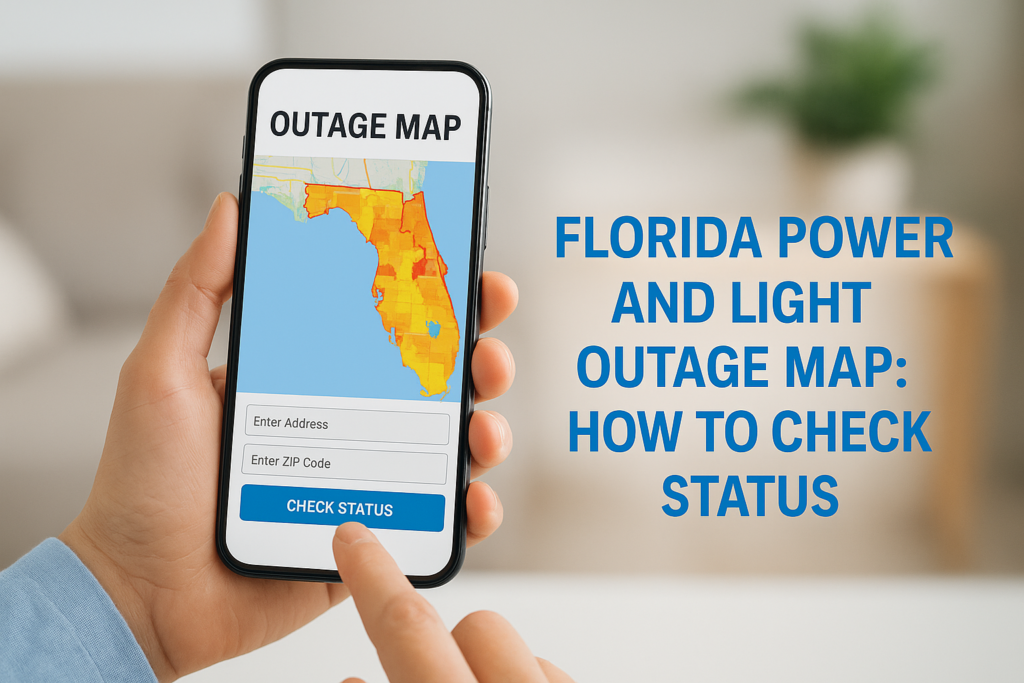
When the lights go out, whether from a summer storm, a hurricane, or an unexplained grid failure, your first move is probably pulling up the Florida Power and Light outage map on your phone. It’s the fastest way to find out if FPL knows about the problem and when they expect to restore power in your area.
The map is a genuinely useful tool. It shows real-time outage data by region and zip code, gives estimated restoration times, and lets you report an outage directly. But if you’ve ever sat refreshing that page for hours while your food thaws in the fridge, you already know that checking outage status and actually having power are two very different things.
At Advance Solar & Spa, we’ve spent over 40 years helping Florida homeowners take control of their energy. We install solar electric systems with battery backup from Tesla and Enphase, so when the next outage hits, your house stays on. But first things first: this guide walks you step by step through how to use FPL’s outage map, report an outage, and track restoration progress so you can get the information you need right now.
What the FPL outage map shows and doesn’t
The florida power and light outage map gives you a live snapshot of grid conditions across FPL’s service territory. You can see affected areas highlighted by color, get a count of customers without power in each zone, and check whether FPL has an estimated restoration time (ERT) logged for your neighborhood. Knowing exactly what the map tracks, and where it falls short, saves you from misreading the data when you need it most.
What the map actually shows
When outages are active, the map displays several layers of useful data. Each shaded region represents a cluster of affected customers, and clicking on it pulls up details including the number of customers impacted and the cause of the outage if FPL has confirmed it. You can filter by zip code or street address to zoom into your specific block.
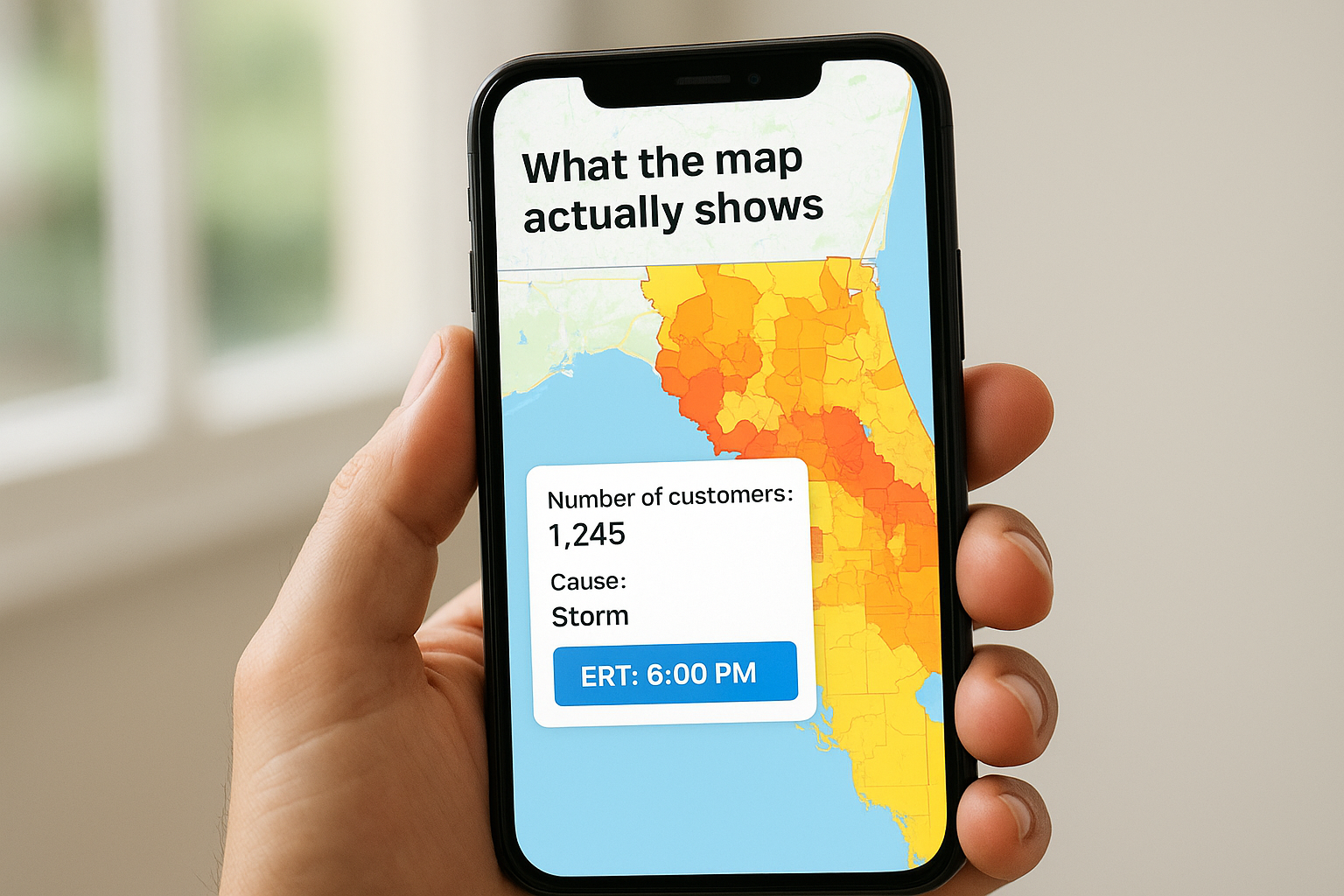
| Map data point | What it tells you |
|---|---|
| Shaded outage zone | Area with confirmed power loss |
| Customer count | How many accounts are affected |
| Cause | Storm, equipment failure, or unknown |
| ERT | FPL’s estimated restoration time |
What the map won’t tell you
Real limitations exist that you should understand before relying on the map completely. ERTs are estimates, not commitments, and they can shift several times during a major storm event. Your map also does not confirm individual address status, so your home might still be offline even if your immediate block appears as restored on screen.
FPL updates the map roughly every 10-15 minutes, but during major storms, data can lag behind actual field conditions by a meaningful margin.
Step 1. Open the official FPL Power Tracker
Go directly to FPL’s official outage page to access the Power Tracker tool. Open your browser on any device and navigate to fpl.com/outage. This is the only authoritative source for the florida power and light outage map, so skip third-party aggregator sites that claim to mirror FPL data. They often show outdated information and add no value over the real thing.
Avoid the wrong page
FPL’s website has multiple sections, and search results sometimes surface the wrong one. Look for the page labeled “Power Tracker” in the site navigation or header. If you land on a login screen instead, you’ve ended up in the account portal. Close that tab and type the direct outage URL into your browser bar instead.
Bookmark fpl.com/outage right now, before the next outage hits, so you can find it immediately when your power is out.
Your browser will load the map without requiring a login or account, which is exactly what you need when your phone battery is low and you want answers fast.
Step 2. Search your address or ZIP and read the details
Once the florida power and light outage map loads, use the search bar in the top-left corner to find your specific location. Type either your full street address or your five-digit ZIP code and hit enter.
How to enter your location
The map accepts street addresses and ZIP codes, but a full address gives you more precise results. Type something like “1234 Palm Ave, Fort Myers, FL” and select your address from the dropdown that appears. If you only have a ZIP, enter that and the map will zoom to your entire ZIP zone.
A ZIP code search shows all outages in that zone, but it won’t confirm whether your specific address is affected.
Reading the outage details panel
Click directly on a shaded outage area near your address to open the details panel. This panel shows the estimated restoration time, the number of customers affected, and the reported cause. If no shading appears over your address, FPL may not have logged your outage yet, which means you need to report it manually in the next step.
Step 3. Report your outage and confirm FPL has it logged
If the florida power and light outage map shows no shading over your address, FPL does not know your power is out. Reporting it manually takes less than two minutes and places your address into their dispatch queue so a crew can be assigned.
How to report through the FPL app or website
Log into fpl.com or open the FPL Mobile app and select “Report an Outage.” Confirm your service address, submit the report, and save the confirmation number FPL sends to your phone or email.
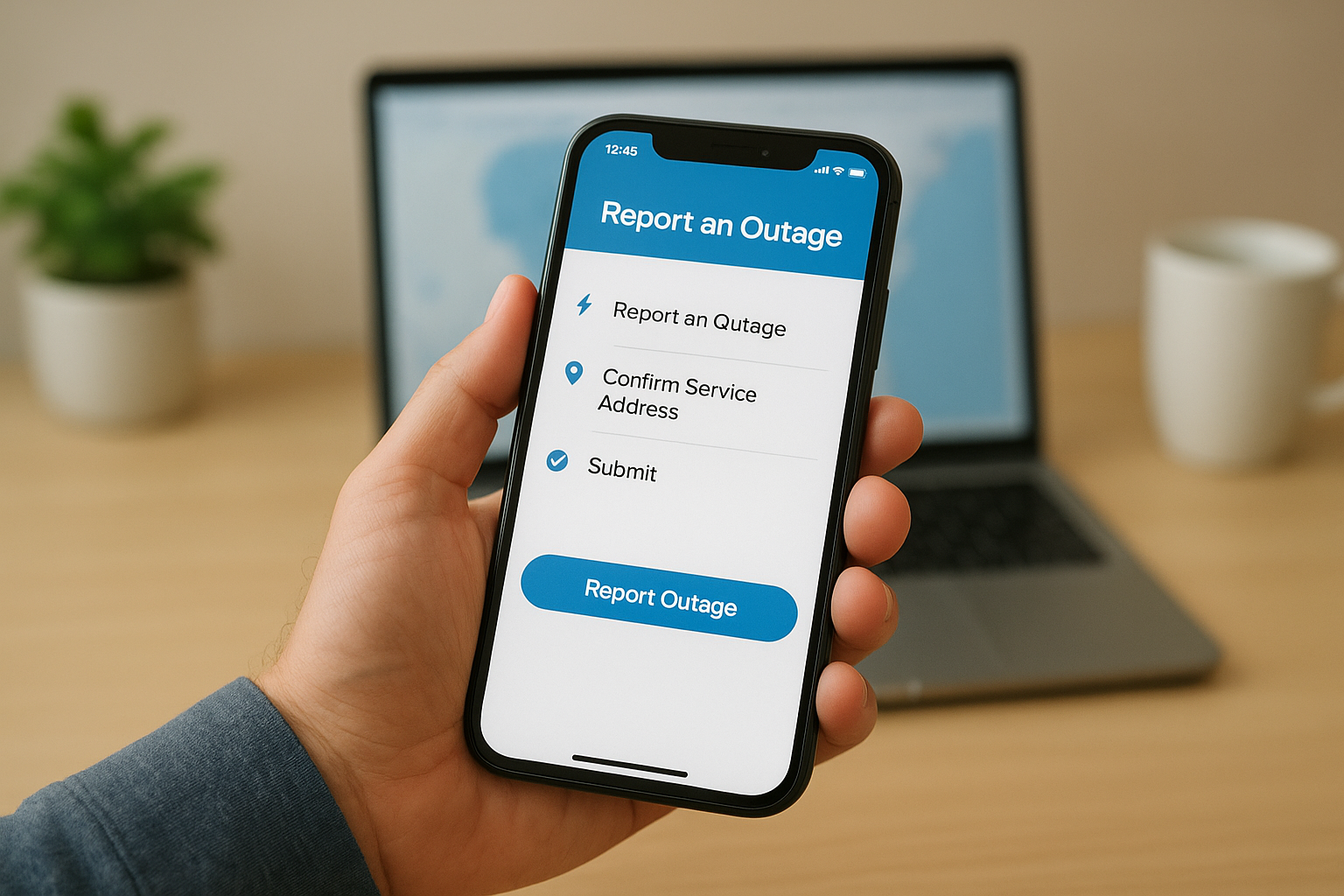
- Open fpl.com or the FPL Mobile app
- Select “Report an Outage”
- Confirm your service address and submit
- Save your confirmation number immediately
Keep that reference number accessible so you can track your restoration status without logging in again.
Verify FPL received your report
After submitting, refresh the outage map after 10 to 15 minutes to check if your address now appears in a shaded zone. This means FPL has your report in the system.
If your address still does not appear after 30 minutes, call FPL at 1-800-468-8243 to confirm your outage is logged and a crew has been dispatched.
Step 4. Handle storm mode, delays, and map issues
During a major hurricane or widespread storm, FPL activates storm mode, which changes how the florida power and light outage map operates. Restoration estimates become less reliable because crews are still assessing damage, and the map may show your area as “under assessment” rather than giving a specific ERT.
When the map shows no ERT
An “under assessment” status means FPL crews have not yet reached your area to evaluate damage. This is common in the first 12 to 24 hours after a major storm. Your best move is to check back every few hours rather than refreshing the page constantly.
During storm events, FPL restores power to the largest number of customers first, so smaller isolated outages typically take longer.
When the map won’t load
If the map fails to load, your internet or cellular connection may be down. Try these alternatives to get outage status:
- Switch from Wi-Fi to mobile data
- Call FPL directly at 1-800-468-8243
- Check FPL’s official social media accounts for storm updates
Step 5. Stay safe and keep power on during outages
Knowing your status on the florida power and light outage map is useful, but staying safe while you wait matters more. A few simple steps protect your home and your family while crews work on restoration.
Safety steps during an active outage
Keep your refrigerator and freezer doors closed as much as possible to preserve food. A full freezer holds safe temperatures for up to 48 hours if you leave it shut. Never run a generator indoors or in a garage, as carbon monoxide builds up quickly and is fatal with little warning.
If you rely on medical equipment that requires power, register with FPL’s Medical Baseline Program before the next outage occurs.
The case for battery backup
Depending on the grid every time the lights go out puts your home at the mercy of restoration timelines you cannot control. A solar battery system from Tesla or Enphase keeps critical loads running automatically the moment power drops, with no manual steps required. Your house stays on while your neighbors are still refreshing the map.
Quick recap and next steps
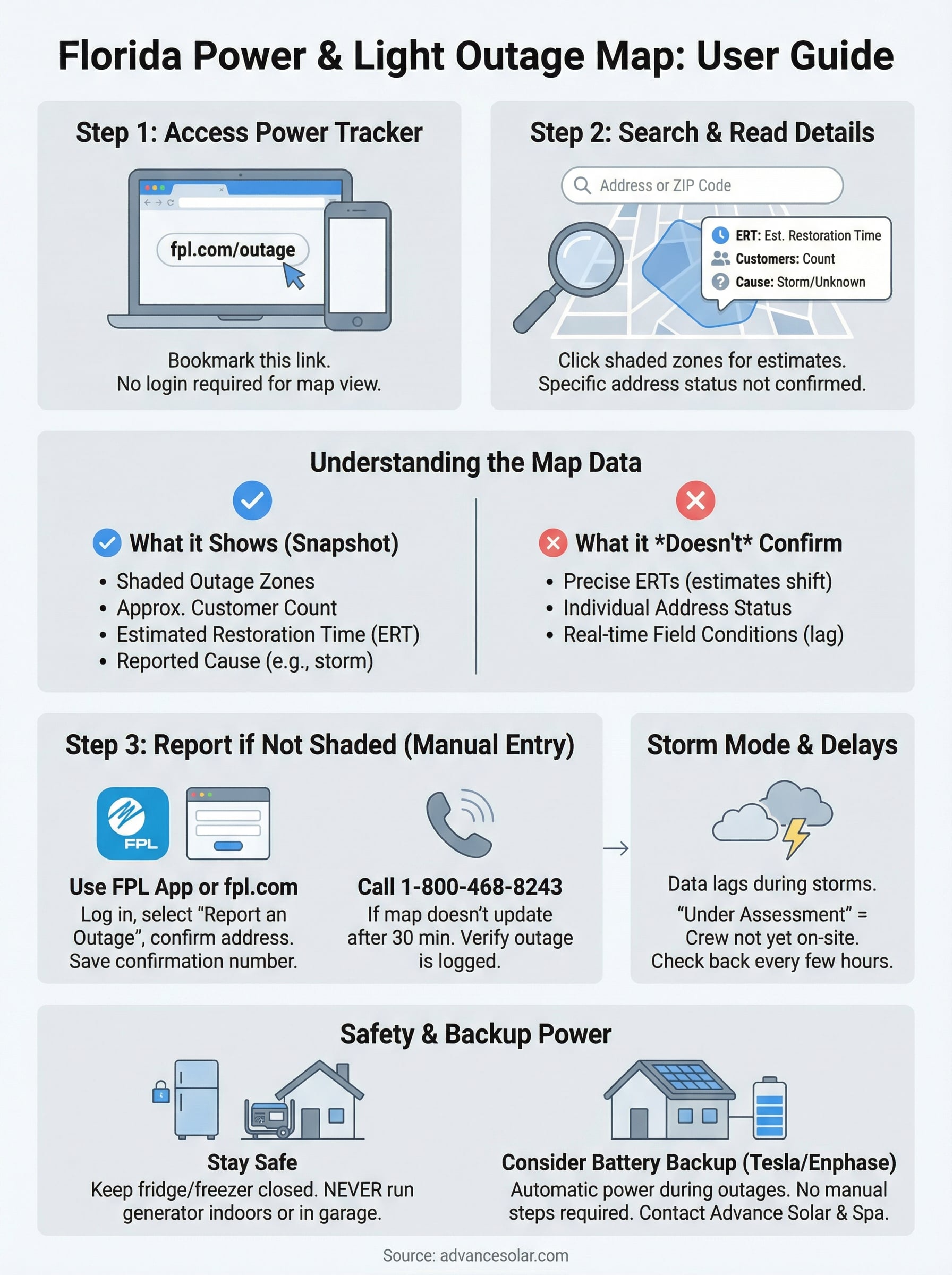
You now have everything you need to use the florida power and light outage map effectively. Open fpl.com/outage, search your address or ZIP, and click any shaded zone to read the estimated restoration time and cause. If your address shows no shading, report the outage immediately through the FPL app or by calling 1-800-468-8243. During storm mode, expect delays and check back every few hours rather than refreshing the page constantly.
That process gets you information, but it does not keep your lights on. Every hour you spend waiting on a restoration timeline is an hour your food is thawing, your medical equipment is offline, and your family is sitting in the heat. Solar battery storage from Tesla and Enphase changes that equation entirely. When an outage hits, your home switches to stored solar power automatically, with no manual steps required on your part. Contact Advance Solar & Spa to find out what a battery backup system would cost for your Florida home.